Cart 0
Implementing iOS and macOS Documents with the Files App
Click to zoom

Share this book

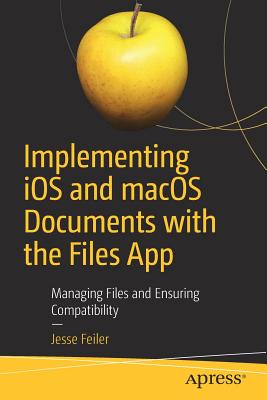
Implementing iOS and macOS Documents with the Files App : Managing Files and Ensuring Compatibility

Book Details

Format Paperback / Softback
ISBN-10 1484244915
ISBN-13 9781484244913
Publisher APress
Imprint APress
Country of Manufacture GB
Country of Publication GB
Publication Date Jun 11th, 2019
Print length 156 Pages
Product Classification: Macintosh OS Macintosh programming
Ksh 5,050.00 Werezi Extended Catalogue

Delivery Location

Delivery fee: Select location

Delivery in 28 days

Secure
Quality
Fast
Rise above the basics of Xcode app development to implement tools like Share buttons and activity view controllers to share document content including parts of documents with other users and with other devices. This book fills the gap so that developers with even a fundamental knowledge of iOS and Swift can implement document creation, saving, and sharing in their apps. Since the launch of iPhone in 2007, users and developers have struggled with the fact that the file system is hidden. Fortunately the Files app in iOS 11 now offers this feature and it is supported by Apple apps such as Numbers, Pages, and Keynote as well as by the few third-party apps that support documents. By using the standard formats described in this book, you can make your app’s data shareable to and from other apps like Numbers, Pages, and Word. Files also provides an interface to tools such as Dropbox and iCloud so that users can open and modify documents in them. If youcombine standard formats such as .doc, .docx, .jpeg, and .jpg with Dropbox and eMail, you have a simple way to implement and use cross-platform sharing to Macs, PCs, and Android devices. Implementing iOS and macOS Documents with the Files App provides the combination of skills developers need to build these types of apps—working with files and constructing documents. What You'll LearnAdd Document Support to Your Apps  Share your documents with iCloud and Apple IDs across your Mac and iOS devices Use standard formats from .doc, .docx, .png, and .jpeg both for input and outputManage and organize documentsWho This Book Is ForDevelopers with a basic knowledge of app development and Swift. You should already know how to use Xcode to create an app. Knowledge of basic Swift syntax is recommended.The book can also be a useful overview and guide to managers who are trying to decide how to convert legacy document-based systems to apps.

Rise above the basics of Xcode app development to implement tools like Share buttons and activity view controllers to share document content including parts of documents with other users and with other devices. This book fills the gap so that developers with even a fundamental knowledge of iOS and Swift can implement document creation, saving, and sharing in their apps.

Since the launch of iPhone in 2007, users and developers have struggled with the fact that the file system is hidden. Fortunately the Files app in iOS 11 now offers this feature and it is supported by Apple apps such as Numbers, Pages, and Keynote as well as by the few third-party apps that support documents. 

By using the standard formats described in this book, you can make your app''s data shareable to and from other apps like Numbers, Pages, and Word. Files also provides an interface to tools such as Dropbox and iCloud so that users can open and modify documents in them. If you combine standard formats such as .doc, .docx, .jpeg, and .jpg with Dropbox and eMail, you have a simple way to implement and use cross-platform sharing to Macs, PCs, and Android devices.

Implementing iOS and macOS Documents with the Files App provides the combination of skills developers need to build these types of apps-working with files and constructing documents.

What You''ll Learn

  • Add Document Support to Your Apps  
  • Share your documents with iCloud and Apple IDs across your Mac and iOS devices 
  • Use standard formats from .doc, .docx, .png, and .jpeg both for input and output
  • Manage and organize documents
Who This Book Is For

Developers with a basic knowledge of app development and Swift. You should already know how to use Xcode to create an app. Knowledge of basic Swift syntax is recommended. The book can also be a useful overview and guide to managers who are trying to decide how to convert legacy document-based systems to apps.

Get Implementing iOS and macOS Documents with the Files App by at the best price and quality guaranteed only at Werezi Africa's largest book ecommerce store. The book was published by APress and it has pages.

Mind, Body, & Spirit

Price

Ksh 5,050.00

Shopping Cart

Africa largest book store

Sub Total:
Ebooks

Digital Library
Coming Soon

Our digital collection is currently being curated to ensure the best possible reading experience on Werezi. We'll be launching our Ebooks platform shortly.